

by NOVA

7 月 24, 2026
Door sensor Zigbee kits are sold on reassurance, but they are engineered on an entry map. Every opening that should raise an alert has a frame material, a gap width, and a mounting surface, and those three details decide the hardware more than any brochure does. This guide gives installers a kit-planning sequence built on honest catalog evidence: the MOES public listings verify a multi-mode security gateway, while the standalone Zigbee contact sensor SKU is an RFQ item, not an assumption.

MOES catalog image from the door-automation family; contact-sensor SKUs are confirmed through RFQ.
A contact sensor reports one fact — an opening changed state — and the rest of the kit turns that fact into action. The sensor pairs to a coordinator, the coordinator applies the active security mode, and the outcome is an app alert, a siren trigger, or silence when the household is home. Remove any link in that chain and the kit becomes a box of parts.
Kits therefore live or die on system thinking. Sensor count, gateway placement, alert routing, and battery service belong in one document, and the installer who writes that document owns fewer callbacks than the one who ships hardware.
Walk the property and list every opening with four attributes: location, frame material, gap width, and who uses it daily. Metal frames and wide gaps constrain mounting choices, and high-traffic doors need different alert logic than a storage hatch.
| Entry attribute | Why it matters | Survey evidence |
|---|---|---|
| Frame material | Mounting method and signal behaviour differ on metal | Photo per entry |
| Gap width | Sensor pairs have alignment tolerances to confirm | Measured gap in mm |
| Daily usage | High-traffic doors need mode-aware logic, not constant alerts | Occupant interview |
| Distance to coordinator | Mesh hops and wall types affect reporting reliability | Floor plan markup |
The map also fixes the commercial quantity. Properties rarely need “one sensor per door”; they need sensors on the openings that matter under the chosen security modes, plus spares for battery-service cycles.
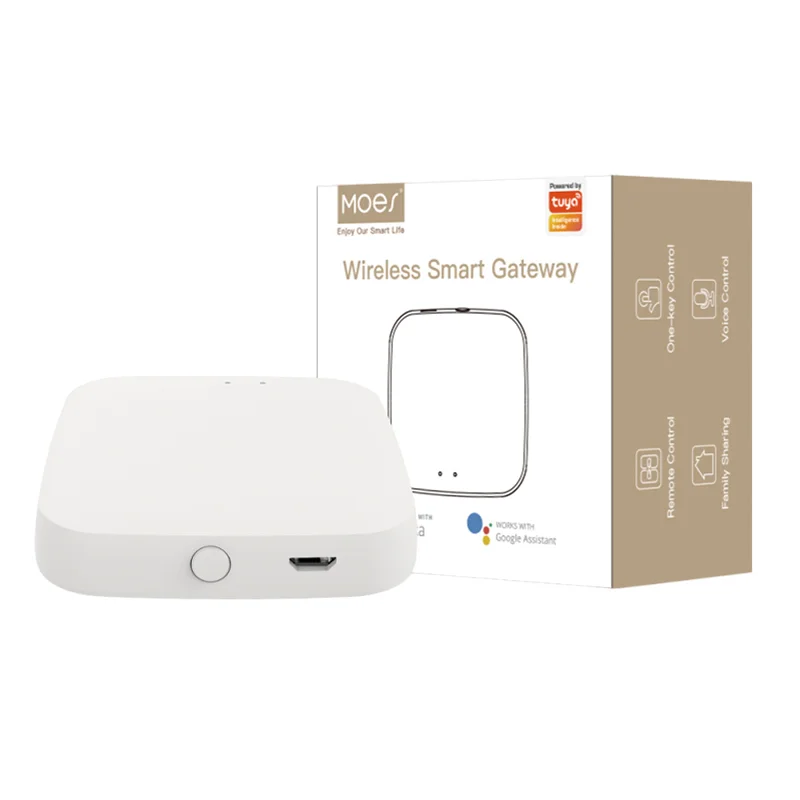
Two verified listings frame this request honestly. The MOES Tuya smart wired multi-mode gateway carries a title that states ZigBee, WiFi, and Bluetooth Mesh hub roles together with Away Stay Home Security Protect Mode wording — that is coordinator-side evidence for a security kit. The Wi-Fi smart garage door opener controller proves a door-automation family exists, but it is an actuator listing, not a contact sensor.
A public catalog search did not verify a standalone Zigbee door contact sensor SKU at the time of writing. State that plainly in the quote, keep the entry map, and move the exact sensor model into the RFQ with a datasheet request. Inventing a SKU from a category name is how kits fail acceptance.
Mode wording in the gateway listing title — Away, Stay, Home — maps directly onto alert logic. An Away mode arms every mapped opening; a Stay mode typically ignores interior movement while perimeter contacts stay live; exact behaviour per model must be confirmed in writing. Design the kit so each entry’s alert expectation is written next to its mode, and commissioning becomes a checklist instead of an argument.
| Mode wording in title | Typical design intent | Confirmation needed |
|---|---|---|
| Away | Arm all mapped openings and alert on any change | Written behaviour per model |
| Stay | Keep perimeter contacts live while occupants are inside | Written behaviour per model |
| Home Security Protect | Named protect function in the listing title | Scope and trigger list via RFQ |

Entry-mapping illustration from the MOES catalog; write the mode behaviour next to each opening before ordering.
Protocol architecture sits underneath the modes. Zigbee contacts report through the coordinator mesh described by the Connectivity Standards Alliance, while the same gateway’s Bluetooth Mesh role follows Bluetooth SIG rules — two ecosystems, one box, and the split is explained in our Bluetooth Mesh versus Zigbee hub guide. Commissioning for Tuya-based kits then runs through the Tuya platform, so account ownership belongs in the handover notes.
Anchor the kit on the MOES Tuya smart wired multi-mode gateway listing. Its title-level evidence — multi-protocol hub roles plus security mode wording — is exactly the coordinator function an entry-monitoring kit requires, and it stays valid while sensor SKUs are confirmed through RFQ.
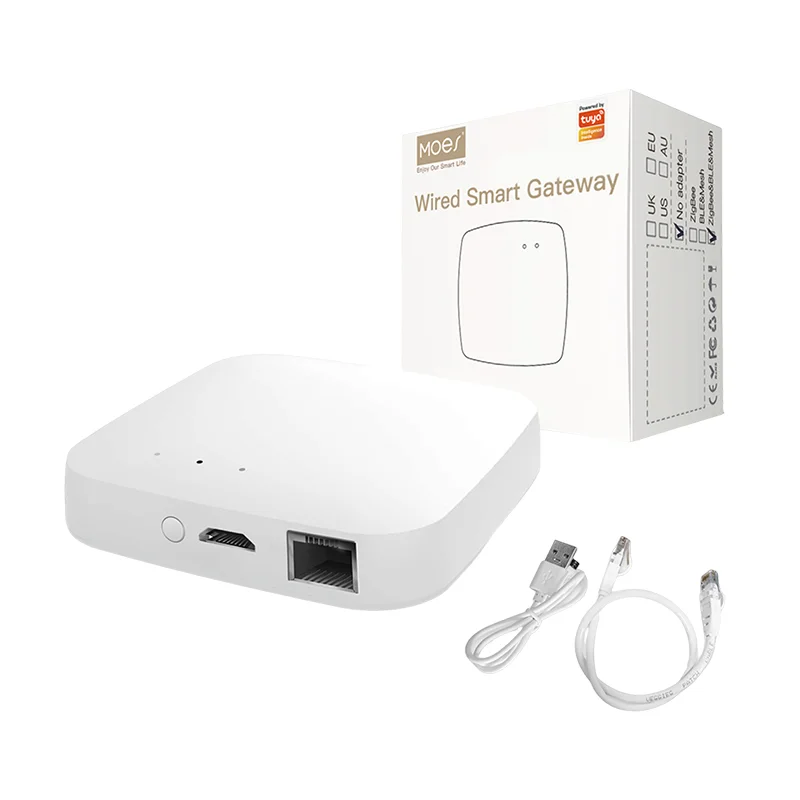
Product image from the MOES catalog; the gateway anchors the kit BOM while contact-sensor models are confirmed.
The garage door opener controller remains the deliberate non-substitute in this plan. Its listing describes an opener — a device that moves a door — and swapping an actuator into a sensing role would misstate the catalog and confuse the alert logic that the kit exists to deliver. Wider ecosystem planning for the same buyers is covered in the Zigbee gateway buyer’s guide and the Tuya smart home planning guide.
Pause when the entry map is missing, when frame photos show metal or oversized gaps that no one has assessed, or when the buyer expects certified intrusion-alarm performance from a smart-home kit. Graded alarm installations answer to different equipment classes and documentation, and pretending otherwise moves liability onto the installer.
Hold the quote as well when alert routing is undefined. “Send alerts to the app” fails the first time a property manager changes phones; name the account owner, the escalation contact, and the siren behaviour per mode before hardware is ordered.
Send the package through Contact Us or the OEM/ODM channel, and bundle accessories from the other smart devices range into the same consignment.
Yes. Contact sensors report through a coordinator, so the gateway line is part of the kit BOM before sensor quantities are settled.
A public catalog search did not verify a standalone SKU at the time of writing. Keep the entry map and confirm the exact sensor model through the RFQ.
The listing title names Away Stay Home Security Protect Mode wording. Exact arming behaviour per mode must be confirmed in writing for the specific model.
Count the openings that matter under the chosen modes, not every door. Add spares for battery-service cycles so the kit survives its first year.
No. The opener listing describes an actuator that moves a door, while a contact sensor reports state changes — two different functions in the kit design.
Quantities per phase, spares, samples, target market and labeling, packaging, manual language, delivery schedule, and any OEM or ODM branding scope.
OTHER SMART DEVICES
6 月 13,2026
OTHER SMART DEVICES
6 月 12,2026
OTHER SMART DEVICES
6 月 12,2026
 +86 137 3639 3028