

by NOVA

7 月 18, 2026
Zigbee smart bulb vs WiFi smart bulb selection changes a Tuya project’s BOM, installation handover, and support ownership. Buyers should decide lamp base, room scale, gateway requirement, and app workflow before ordering bulbs—not after installers have already chosen fixtures.

MOES catalog image; verify the exact SKU before purchase.
Start with the fixture and project architecture. Record bulb base, voltage and regional fixture format, required white/color behavior, number of lamps per room, and whether the site already uses a Zigbee gateway. A WiFi bulb may suit a small, router-supported rollout. A Zigbee bulb belongs in a coordinator and mesh plan. Neither option fixes a wrong lamp base or an unsupported fixture.
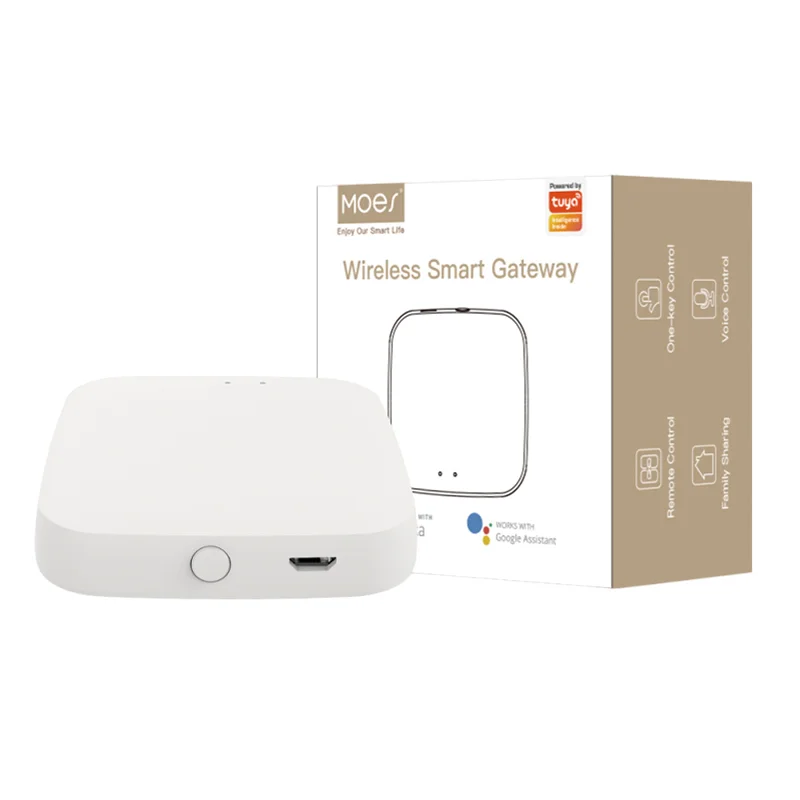
| BOM field | WiFi bulb path | Zigbee bulb path |\n|—|—|—|\n| Network | Property LAN | Zigbee coordinator and mesh |\n| Gateway | Usually no bulb-specific hub | Include compatible gateway |\n| Support handover | WiFi credentials/app pairing | Gateway pairing and placement |\n| Scaling input | Router/AP coverage | Mesh and gateway segment |\n\nUse the WiFi vs Zigbee distributor comparison for the broader protocol-support model.
A protocol decision is not a lamp-base decision. Buyers should list E14, E27, GU10, candle, or other exact fixture requirements separately and attach fixture photos. The MOES Matter WiFi smart bulb title references multiple lamp formats; that title is limited to the exact listing and should not be generalized across all bulbs.\n\n \n\nCatalog image; confirm the exact lamp base and live product listing before purchase.
Map bulbs by room and by fixture group, then name the network owner. WiFi rooms need adequate LAN coverage and a clear pairing workflow. Zigbee rooms need gateway quantity and placement documented before installation. For hotels, apartments, or multi-room projects, do not rely on a single “smart bulb” line item; use a room list with spare quantities, fixture base, and the expected commissioning sequence.
The MOES Matter WiFi Smart Bulb listing is a bounded WiFi/Matter bulb reference because its title states lamp-format and color-language scope. Verify the live listing for the project. It does not prove that a Zigbee bulb will use the same network path or that every fixture base is available.\n\n \n\nProduct image from the MOES catalog; match base and protocol to the live SKU.
Avoid a mixed order when nobody owns the gateway, app grouping, WiFi credentials, or post-install support. It may be valid to use WiFi bulbs in one area and Zigbee lighting in another, but the RFQ must identify the protocol by room. Do not describe a mixed project as a single hub-free system when part of the lighting requires a coordinator.
A reliable B2B quote documents what the buyer needs, what the public listing verifies, and what still needs product-specific confirmation. Keep those three layers separate in the RFQ.
Verify physical format, project scale, network path, exact listing scope, and support ownership.
Yes. Fixture, wall box, plate, and existing-device photos prevent incorrect format assumptions.
List protocol by room or device line; include gateway quantity for Zigbee segments.
No. Titles only bound the exact listing and do not replace project verification.
Pause when physical format, wiring, controller, target market, or model evidence is not defined.
Sample quantity, spares, carton language, target market, branding, support owner, and OEM/ODM scope.
OTHER SMART DEVICES
6 月 13,2026
OTHER SMART DEVICES
6 月 12,2026
OTHER SMART DEVICES
6 月 12,2026
 +86 137 3639 3028